Business Consulting
Customer Relationship Management (CRM): A Complete Guide to Improving Sales and Customer Retention
Customer-Relationship-Management-(CRM)-A-Complete-Guide-to-Improving-Sales-and-Customer-Retention-Chanakya-Consulting-Growth-Technology-Strategy-Automation-Intelligence
In today’s competitive business environment, strong customer relationships are essential for long-term growth. Customers expect personalized experiences, quick communication, and smooth interactions at every stage. Therefore, businesses need a clear way to manage customer information and follow up with prospects and existing customers.
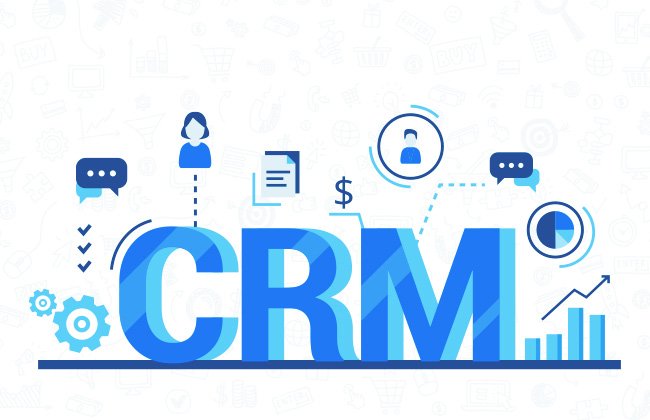
Customer Relationship Management (CRM) is a business strategy and technology that helps companies manage customer interactions. A CRM system brings customer information, sales activity, marketing communication, and support interactions into one place. As a result, teams can understand customers better and manage relationships more effectively.
Whether you run a startup, small business, or large company, the right CRM system can improve how you attract, convert, serve, and retain customers. In this guide, we explain CRM in simple terms and show how businesses can use it to support growth.
What Is Customer Relationship Management (CRM)?
Customer Relationship Management, commonly called CRM, is a system for managing interactions with current and potential customers. It helps businesses keep customer information, conversations, sales activities, and service records organized in one place.
For example, a sales representative can use a CRM to see when a prospect was contacted, what they discussed, and what action should happen next. Meanwhile, the marketing team can use the same customer information to create more relevant campaigns.
Instead of depending on spreadsheets, separate tools, or scattered email conversations, a CRM gives teams a shared view of customer activity. This makes it easier for sales, marketing, and customer service teams to work together.
A CRM does more than organize customer information. It helps businesses understand customers, manage interactions, and build stronger relationships at scale.
Why Does Every Growing Business Need a CRM?
As a business grows, customer information can quickly become difficult to manage. Leads may be stored in spreadsheets, conversations may stay in email inboxes, and sales follow-ups can be forgotten. A CRM brings these activities together and creates a more organized process.
Centralized Customer Data
Store customer profiles, contact details, purchase history, conversations, and other important records in one place.
Improved Sales Productivity
Sales teams can manage leads, track opportunities, schedule follow-ups, and monitor deals through a clear sales process.
Better Customer Service
Support teams can quickly view customer history and previous conversations. As a result, they can respond faster and provide more relevant help.
Smarter Marketing
Marketing teams can group customers, personalize campaigns, and use customer data to improve campaign decisions.
Key Features of a CRM System
CRM platforms offer different features depending on the business and the software being used. However, most CRM systems include several core features that help teams manage customers and sales more effectively.
Lead Management
Capture, organize, assign, and follow up with leads throughout the sales process.
Contact Management
Keep customer names, contact details, communication history, and engagement records organized in one database.
Sales Pipeline Management
Track deals from the first conversation to the final purchase. This also helps teams identify where prospects are dropping out.
Marketing Automation
Automate tasks such as email campaigns, lead nurturing, customer segmentation, and campaign follow-ups.
Customer Support
Manage customer questions, support requests, service tickets, and follow-ups from a central system.
Analytics & Reporting
Use dashboards and reports to understand sales performance, customer behavior, campaign results, and other business metrics.
Top Benefits of CRM Implementation
A well-planned CRM implementation can improve several parts of the customer journey. More importantly, it can help teams replace manual processes with a consistent system.
| Benefit | Business Impact |
|---|---|
| Customer Retention | Build stronger relationships through relevant communication and timely follow-ups. |
| Higher Sales | Improve lead management and create a more consistent sales process. |
| Improved Productivity | Automate repetitive activities and reduce unnecessary manual work. |
| Better Decision-Making | Use customer and sales data to understand performance and identify opportunities. |
| Enhanced Customer Experience | Deliver more consistent and personalized interactions across customer touchpoints. |
Types of CRM Systems
CRM systems can support different business needs. Some focus mainly on sales and automation, while others help businesses understand customer data or improve collaboration. Therefore, knowing the main types of CRM can help you choose a system that fits your goals.
Operational CRM
Operational CRM focuses on everyday customer-facing activities. It can help sales teams manage leads, marketing teams automate campaigns, and support teams organize customer requests.
- Lead Management
- Sales Automation
- Email Marketing
- Customer Service
- Workflow Automation
Analytical CRM
Analytical CRM helps businesses understand customer and sales data. For example, teams can study buying patterns, sales performance, and customer behavior to make better decisions.
- Customer Analytics
- Sales Forecasting
- Business Intelligence
- Performance Dashboards
- Customer Insights
Collaborative CRM
Collaborative CRM helps teams share customer information across departments. As a result, sales, marketing, and customer service teams can work from the same customer information.
- Shared Customer Database
- Cross-Team Collaboration
- Knowledge Sharing
- Unified Customer Experience
- Improved Internal Communication
CRM vs ERP: What’s the Difference?
CRM and ERP systems can work together, but they solve different business problems. A CRM focuses mainly on customers, sales, marketing, and service. In contrast, an ERP manages internal business operations such as finance, procurement, inventory, and human resources.
| Feature | CRM | ERP |
|---|---|---|
| Primary Focus | Customer Relationships | Business Operations |
| Main Users | Sales, Marketing & Support | Finance, HR, Procurement & Operations |
| Core Objective | Improve Revenue & Customer Retention | Improve Operational Efficiency |
| Data Managed | Customers, Leads & Sales | Inventory, Finance, Employees & Procurement |
| Business Outcome | Better Customer Experience | Better Business Operations |
CRM Implementation Roadmap
Successful CRM implementation involves more than installing software. First, the business needs to understand its goals and current processes. Then, the team can choose, configure, and launch a CRM that supports those goals.
Step 1: Define Business Goals
Start by identifying measurable goals. These could include increasing sales conversions, improving customer retention, reducing response times, or improving marketing performance.
Step 2: Map Customer Journeys
Understand how prospects discover your business, become leads, make purchases, and interact with your support team. This helps you identify gaps in the customer journey.
Step 3: Choose the Right CRM Platform
Compare CRM platforms based on ease of use, scalability, integrations, customization, reporting, automation, and long-term support.
Step 4: Clean and Migrate Customer Data
Before moving information into the CRM, remove duplicate records and fix incomplete data. Clean data helps teams create accurate reports and reliable workflows.
Step 5: Configure Workflows
Set up sales pipelines, follow-up reminders, automated emails, support processes, dashboards, and user permissions based on your business needs.
Step 6: Train Employees
Give employees practical training before launch. Explain not only how the CRM works, but also why the new process matters to their daily work.
Step 7: Launch the CRM
Launch the system in a controlled way and monitor how employees use it. Collect feedback and fix problems early to improve adoption.
Step 8: Optimize Continuously
CRM implementation does not end at launch. Review KPIs, improve workflows, automate useful tasks, and update the system as business needs change.
Common CRM Implementation Challenges
Even a good CRM can fail if the implementation is poorly planned. Fortunately, most common problems can be reduced through clear goals, good data, employee training, and strong leadership support.
Poor User Adoption
Employees may continue using old processes if they do not understand the value of the CRM or receive enough training.
Low Data Quality
Duplicate, outdated, or incomplete customer records can reduce reporting accuracy and make automation less useful.
Lack of Clear Objectives
A CRM should solve specific business problems. Without clear goals, it becomes difficult to measure whether the investment is working.
Poor System Integration
When business tools do not share information, teams may still face data silos and incomplete customer records.
CRM Best Practices
To get more value from your CRM, focus on consistent processes and useful customer data. In addition, review the system regularly instead of treating implementation as a one-time project.
- Align CRM objectives with your overall business strategy.
- Keep customer data accurate, complete, and up to date.
- Automate repetitive tasks where automation adds real value.
- Connect your CRM with relevant business systems.
- Provide regular employee training and support.
- Monitor important KPIs and improve workflows regularly.
- Use dashboards and reports to support business decisions.
- Focus on consistent and personalized customer experiences.
Before vs. After CRM Implementation
Before CRM
- Customer information stored across spreadsheets
- Missed sales follow-ups
- Manual reporting
- Limited sales pipeline visibility
- Inconsistent customer communication
- Slow response to support requests
After CRM
- Centralized customer information
- Automated follow-ups and reminders
- Real-time dashboards and reports
- Clearer sales pipeline visibility
- More personalized customer engagement
- Faster access to customer history
Key CRM Metrics & KPIs Every Business Should Track
A CRM gives you access to customer and sales data. However, collecting data is not enough. Businesses should track useful Key Performance Indicators (KPIs) to understand whether their sales, marketing, and customer service processes are improving.
| KPI | Why It Matters |
|---|---|
| Lead Conversion Rate | Shows how effectively leads move from prospects to paying customers. |
| Customer Retention Rate | Shows how well the business keeps existing customers over time. |
| Customer Lifetime Value (CLV) | Estimates the value a customer can generate throughout the relationship. |
| Average Sales Cycle | Measures the average time needed to move a deal from initial contact to purchase. |
| Customer Satisfaction (CSAT) | Measures how satisfied customers are after an interaction or purchase. |
| First Response Time | Measures how quickly a customer receives an initial response to an inquiry. |
Emerging CRM Trends
CRM technology continues to change as businesses adopt artificial intelligence, automation, mobile tools, and advanced analytics. These developments can help teams work faster while creating more relevant customer experiences.
AI-Powered CRM
AI can support tasks such as lead scoring, customer insights, recommendations, forecasting, and automated interactions.
Workflow Automation
Automation can handle repetitive activities such as follow-up emails, reminders, ticket routing, and approval workflows.
Mobile CRM
Mobile CRM allows sales and support teams to access customer information and update records while working away from their desks.
Omnichannel Customer Experience
Modern CRM platforms can connect channels such as email, phone, live chat, social media, and messaging tools to create a more consistent experience.
Advanced Analytics
Improved dashboards and analytics help business leaders understand sales activity, customer behavior, and performance.
Cloud-Based CRM
Cloud-based CRM platforms can make customer information accessible across locations while supporting scalability and remote work.
Frequently Asked Questions
What is the main purpose of a CRM system?
The main purpose of a CRM system is to help businesses manage relationships with current and potential customers. It organizes customer information, supports sales activities, improves follow-ups, and helps teams provide better service.
Is CRM only useful for large enterprises?
No. Businesses of different sizes can use CRM systems. Small businesses may use CRM to organize leads and customer information, while larger companies may need advanced automation, analytics, integrations, and collaboration features.
Can CRM integrate with other business software?
Yes. Many CRM platforms can connect with tools such as accounting software, ERP systems, marketing platforms, e-commerce systems, communication tools, and business intelligence solutions.
How long does CRM implementation take?
The timeline depends on the size of the business, data requirements, integrations, custom workflows, and employee training. Therefore, there is no single implementation timeline for every company. A phased approach can make the process easier to manage.
What are the biggest reasons CRM projects fail?
Common problems include unclear goals, poor data quality, weak employee adoption, limited training, poor planning, and insufficient leadership support. For that reason, CRM implementation should focus on people and processes as well as technology.
The Bottom Line
Customer Relationship Management is more than software. It is a structured way to understand customers, manage interactions, improve sales processes, and build stronger relationships.
A good CRM brings customer information into one place and helps teams act on that information. As a result, businesses can create better customer experiences while improving the way their teams work.
However, buying CRM software alone does not guarantee better results. Businesses also need clear goals, clean data, useful processes, employee training, and regular optimization.
Strong customer relationships are the foundation of sustainable growth. A well-planned CRM system can help you build those relationships at scale.
Ready to Transform Your Customer Relationships?
At Chanakya Consulting, we help organizations plan, implement, and improve CRM systems that support sales performance, customer engagement, and business growth. Our approach goes beyond software selection. We help businesses understand their processes, identify gaps, design better workflows, and improve CRM adoption.
Published by Chanakya Consulting — Helping organizations accelerate growth through CRM, ERP, Digital Transformation, AI, Business Intelligence, Process Optimization, and Strategic Consulting.
Useful Resources
- Calendly – Schedule a meeting.
- OpenAI – Explore AI technologies and solutions.
- Microsoft Learn – Explore Microsoft cloud and business solutions.