Digital Transformation
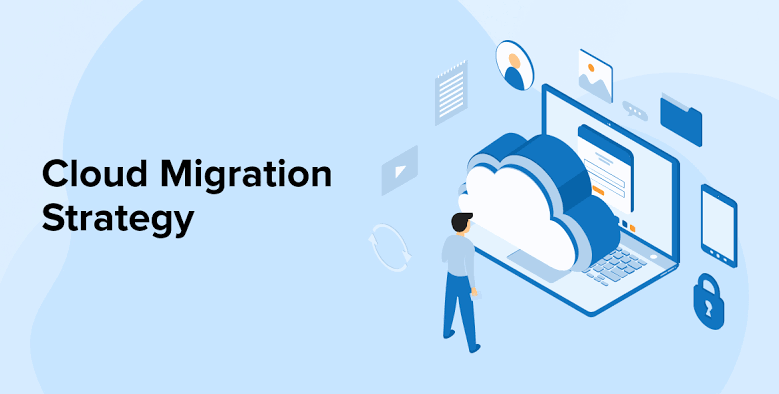
Cloud Migration Strategy: A Complete Guide for Businesses Moving to the Cloud
Cloud-Migration-Strategy-A-Complete-Guide-for-Businesses-Moving-the-Cloud-Chanakya-Consulting-Growth-Technology-Strategy-Automation-Intelligence
Cloud computing has transformed the way organizations operate. From startups to multinational enterprises, businesses are migrating their applications, data, and infrastructure to cloud platforms to improve scalability, reduce operational costs, and accelerate innovation. However, successful cloud migration is more than simply moving workloads—it requires careful planning, risk assessment, and a strategy aligned with business objectives.
Whether you’re planning your first migration or modernizing an existing cloud environment, understanding the migration process can help you minimize downtime, strengthen security, and maximize return on investment.
What Is Cloud Migration?
Cloud migration is the process of moving digital assets—including applications, databases, servers, and workloads—from on-premises infrastructure or legacy systems to cloud-based environments. Businesses may migrate to public, private, or hybrid cloud platforms depending on their operational requirements, security needs, and compliance obligations.
A successful migration improves flexibility, enables remote collaboration, reduces infrastructure maintenance, and provides organizations with the agility needed to respond to changing market conditions.
“Cloud migration is not simply moving technology—it’s building the digital foundation for future business growth.”
Why Businesses Are Moving to the Cloud
Lower IT Costs
Reduce expenses related to physical servers, hardware upgrades, maintenance, and energy consumption.
Scalability
Increase or decrease computing resources instantly as business requirements change.
Business Continuity
Cloud providers offer backup, disaster recovery, and redundancy to reduce operational risk.
Remote Collaboration
Employees can securely access business systems from anywhere, supporting hybrid and remote work.
Key Benefits of Cloud Migration
- Lower infrastructure and maintenance costs
- Improved business agility
- Faster deployment of applications
- Enhanced cybersecurity capabilities
- Automatic software updates
- Improved collaboration across teams
- High availability and disaster recovery
- Global accessibility
- Better performance and scalability
- Support for AI, analytics, and modern applications
Common Challenges During Cloud Migration
| Challenge | Impact | Solution |
|---|---|---|
| Downtime | Business interruptions | Phased migration planning |
| Security Risks | Data exposure | Encryption and access controls |
| Legacy Systems | Compatibility issues | Application modernization |
| Lack of Planning | Budget overruns | Comprehensive migration roadmap |
The 6-Step Cloud Migration Strategy
Step 1: Assess Your Current Infrastructure
Evaluate applications, databases, workloads, security requirements, dependencies, and existing IT assets before beginning migration.
Step 2: Define Business Goals
Identify measurable objectives such as cost savings, improved scalability, enhanced security, or better customer experiences.
Step 3: Choose the Right Cloud Model
Select between Public Cloud, Private Cloud, or Hybrid Cloud based on business needs, compliance requirements, and budget.
Step 4: Create a Migration Roadmap
Prioritize workloads, define timelines, assign responsibilities, and establish rollback procedures to minimize disruption.
Step 5: Execute the Migration
Begin migrating workloads in carefully planned phases rather than moving everything simultaneously. Start with low-risk applications to validate the migration strategy before transferring mission-critical systems. Continuous monitoring during this phase helps identify performance issues, minimize downtime, and ensure business continuity.
Step 6: Monitor, Optimize & Improve
Migration isn’t the finish line—it’s the beginning of continuous optimization. Monitor cloud performance, analyze costs, strengthen security policies, automate operations, and regularly review workloads to maximize long-term business value.
Public vs. Private vs. Hybrid Cloud
| Cloud Model | Best For | Key Advantage |
|---|---|---|
| Public Cloud | Startups and growing businesses | Low cost and excellent scalability |
| Private Cloud | Highly regulated industries | Greater control and enhanced security |
| Hybrid Cloud | Medium and large enterprises | Combines flexibility with security |
Before vs. After Cloud Migration
Before Migration
- High infrastructure costs
- Limited scalability
- Manual software updates
- Hardware maintenance
- Slower disaster recovery
- Restricted remote access
- Long deployment cycles
After Migration
- Pay-as-you-go pricing
- Instant scalability
- Automatic updates
- Reduced maintenance
- Improved business continuity
- Secure remote accessibility
- Rapid deployment
Cloud Migration Best Practices
- Perform a detailed infrastructure assessment before migration.
- Prioritize business-critical applications carefully.
- Develop a comprehensive backup and disaster recovery plan.
- Encrypt sensitive business data during migration.
- Implement role-based access controls and multi-factor authentication.
- Train employees on new cloud platforms and security practices.
- Continuously monitor cloud performance and costs.
- Review cloud usage regularly to eliminate unnecessary expenses.
Common Mistakes to Avoid
❌ No Migration Strategy
Migrating without a roadmap often leads to downtime, budget overruns, and project delays.
❌ Ignoring Security
Security should be integrated into every phase of the migration—not added afterward.
❌ Skipping Employee Training
Technology adoption succeeds when employees understand how to use new systems effectively.
Cloud Migration Readiness Checklist
- ☐ Business goals clearly defined
- ☐ Current infrastructure assessed
- ☐ Cloud provider selected
- ☐ Security and compliance requirements documented
- ☐ Data backup completed
- ☐ Migration roadmap approved
- ☐ Employee training planned
- ☐ Performance monitoring tools configured
Frequently Asked Questions
How long does cloud migration take?
The timeline depends on the size and complexity of your IT environment. Smaller migrations may take a few weeks, while enterprise-wide projects can span several months.
Is cloud migration secure?
Yes. With proper planning, encryption, identity management, and continuous monitoring, cloud environments can provide strong security for business data.
Can existing applications be migrated?
Many applications can be migrated directly, while others may require modernization or redesign to take full advantage of cloud capabilities.
Final Thoughts
Cloud migration is more than an IT initiative—it is a strategic investment that enables organizations to become more agile, resilient, and innovative. Businesses that plan carefully, prioritize security, and optimize continuously are better positioned to adapt to changing customer expectations and market demands.
The cloud isn’t just where your technology lives—it’s where your business grows.
Ready to Start Your Cloud Journey?
At Chanakya Consulting, we help businesses develop secure, scalable, and cost-effective cloud migration strategies. From infrastructure assessment and migration planning to optimization and ongoing support, our experts guide you through every stage of your cloud transformation.
Schedule a Cloud Consultation → Explore Our Consulting ServicesPublished by Chanakya Consulting — Helping organizations accelerate growth through cloud strategy, digital transformation, AI, business intelligence, and operational excellence.
Further Reading
According to Amazon Web Services (AWS), a structured cloud migration approach helps organizations reduce risk and improve operational efficiency.
Research from Microsoft Azure shows that cloud adoption improves scalability, security, and business continuity.
Industry insights from Gartner highlight that cloud transformation remains a top technology priority for enterprises.